


Imagine filling a critical role on your team that pays a $150,000 salary. The candidate on the Zoom call is brilliant, answering every technical question with confidence and presenting a resume that matches your needs perfectly. You extend the offer immediately, relieved to have found top-tier talent. But on Monday morning, a confused, hesitant employee logs into the system—someone who seemingly forgot everything they knew just three days ago. Choose the best proxies for scraping.
You have not just witnessed a severe case of first-day jitters; you have likely met your first proxy professional. Unlike a technical proxy server, which is a computer system acting as a gateway between networks, a proxy professional is a human stand-in. They are the workplace equivalent of a Hollywood stunt double, stepping in to perform high-stakes job interviews before disappearing once the contract is signed, leaving a less qualified person to take the stage.
While most professionals worry about Imposter Syndrome—the internal fear that we aren’t as good as people think—a growing corner of the global economy is empowering actual impostors. The rapid shift toward remote work has created a digital loophole where physical presence is no longer required to secure employment. In this shadow industry, identity is fluid, and expertise is outsourced to the highest bidder before the first shift begins.
This deception relies on a sophisticated economic mechanic known as identity arbitrage. Someone with low skills “buys” a high-paying job by paying a percentage of their future salary to the “brain” behind the curtain. The proxy leverages superior skills to win the interview, while the candidate leverages the proxy’s performance to secure a pay bracket they could never reach on their own merit.
Executing this bait-and-switch often feels less like a job application and more like a heist. Methods range from low-tech lip-syncing to high-tech subterfuge. In some instances, the candidate sits in front of the camera while a hidden proxy feeds answers through an invisible earpiece. In other cases, the proxy takes control of the candidate’s computer screen via remote desktop software, writing code or solving problems in real-time while the candidate simply pretends to type.
This reality forces uncomfortable questions about daily colleagues. Consider the last time a brilliant new hire suddenly seemed incompetent once the actual work began. While it is natural to assume they are adjusting to a new environment, the person you are messaging on Slack might not be the person you hired.
This phenomenon fundamentally changes how we view trust in a digital environment. We are not discussing a simple lie on a resume or an exaggerated reference; we are looking at a coordinated effort to hack the hiring process itself. By peeling back the curtain on these deceptive practices, the complex machinery operating beneath the surface of the modern job market becomes visible.
The Digital Stunt Double: Why Identity Arbitrage is a Growing Global Industry
Traditionally, salaries reward individual skill, but identity arbitrage disrupts this equation. A candidate with average qualifications secures a prestigious job interview, but a hidden expert—the proxy professional—answers the technical questions. The candidate becomes the face of the operation, while the proxy serves as the invisible engine.
This deception is fueled by a lucrative salary-sharing model. A candidate might accept a remote engineering role paying $150,000, despite lacking the expertise to fulfil the duties. Rather than resigning, they subcontract the actual work to a proxy in a lower-cost-of-living region for a fraction of the wage, perhaps $40,000. The original applicant pockets the remaining $110,000 essentially as a finder’s fee, turning a standard employment contract into a passive income stream.
Remote tech jobs serve as the perfect host for this relationship because the screen creates a natural barrier against verification. When daily work consists of code commits and chat messages rather than physical presence, managers cannot easily verify who is typing. This digital anonymity allows the “face” to maintain the illusion of competence while the “brain” operates unnoticed from thousands of miles away.
Maintaining this illusion requires a flawless technical disguise to bypass security teams. If the proxy logs in from a different continent than the employee on record, corporate alarms trigger instantly. To prevent location-based alerts, savvy operators depend on specialized networking tools, choosing between residential and datacenter proxies the only barrier between a paycheck and immediate termination.
Why Residential vs Datacenter Proxies Determine Success
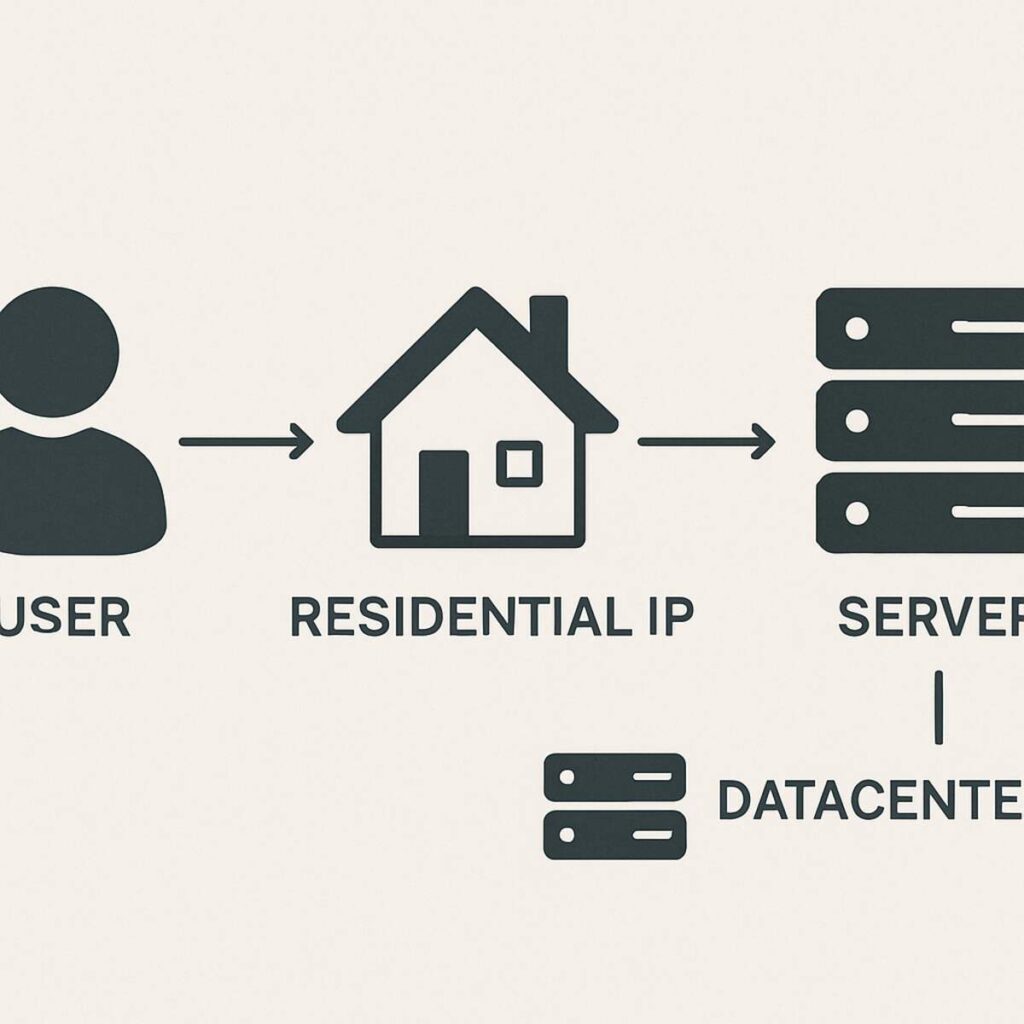
Using a standard “Datacenter IP” is like trying to sneak into a high-security facility wearing a mask drawn on notebook paper. These internet addresses come from massive server farms owned by cloud companies. While they hide the user’s location, they scream “machine” rather than “human.” Corporate security systems act like bouncers; they know real employees connect from home networks, not server warehouses. If an employee claims to be working from a suburban living room but their digital footprint points to a server rack, the deception is exposed.
![A split-screen illustration. On the left, a user connected via a ‘Residential IP’ is represented by a green line flowing from a laptop to a cozy house icon, which then connects to a corporate server. On the right, a user connected via a ‘Datacenter IP’ is represented by a red line flowing from a laptop to a large, cold metal server rack icon, which is then blocked by the corporate server’s shield.]
To bypass these digital bouncers, operators switch to “Residential IPs.” These are legitimate addresses assigned by standard providers like Comcast or Verizon to actual homeowners. When a proxy routes traffic through a residential connection, they effectively wear a high-quality silicon mask; to the employer’s security software, the connection looks exactly like a normal telecommuter. Learning how to choose a reliable proxy provider is critical for these actors; they must access expensive networks that lease dedicated proxies from real home devices to ensure their traffic blends in.
The “IP Reputation”—effectively a credit score for internet addresses—determines the likelihood of being flagged:
- Datacenter IPs: High Risk. Frequently blocked because they are cheap, abundant, and used by bots.
- Residential IPs: Low Risk. Highly trusted because they are associated with verified physical addresses.
- Mobile IPs: Lowest Risk. Rarely blocked because thousands of legitimate users share the same cell tower connection.
While the debate of residential vs datacenter proxies for business is usually a legitimate IT decision, for the proxy professional, it is a survival mechanism. However, a perfect IP address is only half the battle. Even if the connection looks residential, the specific computer setup—screen resolution, battery level, and browser fonts—can betray a fake identity through digital fingerprinting.
Invisible Footprints: Mastering Digital Fingerprinting and Browser Masking
Hiding an IP address is like changing the license plates on a getaway car; if the car itself is distinct, the police will still recognize it. This is the essence of digital fingerprinting. While a residential IP masks where you are connecting from, it fails to hide what you are using to connect. Sophisticated employment platforms analyze the specific device, noting details legitimate users ignore, such as screen resolution, installed fonts, and battery discharge rates.
Your computer’s graphics card inadvertently betrays you through Canvas fingerprinting. When a website asks your browser to render a specific invisible image, your unique hardware draws it with microscopic imperfections specific to your machine. Just as a gun leaves unique grooves on a casing, your GPU renders pixels in a way that creates a trackable ID. Even if a proxy professional logs in from a “safe” residential network, this hardware signature remains constant, flagging the user as the same person who logged in from a different location minutes earlier.
To counter this surveillance, professionals utilize specialized software for digital fingerprinting and browser masking. Unlike standard “Incognito” tabs, tools like Multilogin or GoLogin actively lie to websites. They generate a fresh, fabricated digital profile for every session, making a single laptop appear as a completely different device each time. Originally developed for data scientists to avoid IP bans during scraping, this technology has been repurposed by imposters to ensure their hardware profile looks as unique—and innocent—as their fake location.
Creating a convincing fake identity requires total synchronization between the connection and the computer. If the browser claims to be a mobile phone but the internet protocol behaves like a heavy desktop connection, the illusion creates a “leak” that security algorithms detect. The disguise is only as strong as the data transmission method holding it together, leading technical imposters to rely on the SOCKS5 protocol.
The SOCKS5 Advantage: Securing the Connection Behind the Curtain
Most basic proxies act like a translator that only speaks the code used for loading simple websites (HTTP). This works for refreshing a page but fails when running complex applications. To bypass this, imposters turn to the SOCKS5 protocol. SOCKS5 acts as a universal courier; it takes any type of digital package—email, file transfer, or live video stream—and wraps it in a secure envelope to deliver it anonymously.
Real-time video interviews on platforms like Zoom or Microsoft Teams expose the weakness of lesser tools. Standard web traffic relies on meticulous error-checking, causing “lag” that ruins the illusion of a seamless conversation. SOCKS5 supports UDP, a transmission mode that prioritizes speed over perfection. By using this high-speed lane, the proxy professional ensures that their voice and video sync perfectly, preventing the awkward stuttering that might prompt a hiring manager to investigate.
Accessing these high-performance rotating IP addresses requires a specialized key. Premium SOCKS5 networks enforce strict authentication, acting like a private club. This ensures the connection remains exclusive to the imposter, preventing bandwidth theft from other users that could slow down the feed during a technical assessment.
Securing the digital pipeline is only the foundation. Once the video feed is stable and the location is masked, the stand-in must seamlessly relay answers to the candidate sitting on camera without the interviewer noticing. This coordination enters the physical realm of spycraft.
The ‘Earpiece’ Technique: Real-time Communication for Stand-ins
The stable connection establishes the stage, but the performance relies on digital ventriloquism. The visible candidate becomes a mere actor, while the proxy professional provides the intellect through a discrete audio feed. This usually involves a tiny, flesh-colored earpiece hidden deep in the candidate’s ear canal. As the interviewer asks a question, the proxy hears it simultaneously, formulates the answer, and whispers the response to the candidate, who repeats it with practiced pauses to make the thought process seem natural.
Verbal answers are easier to fake than “whiteboarding,” where applicants must write code on a shared screen. To bypass this, imposters use remote desktop software to control the candidate’s mouse and keyboard from miles away. While the candidate convincingly hovers their hands over their own keys, the proxy writes the code appearing on the screen. This sleight of hand demands near-zero latency, as even a second of delay reveals the deception.
Orchestrating multiple data streams creates massive strain on standard networks. A single hiccup could freeze the remote cursor while the video feed continues. To prevent glitches, the shadow industry relies on services offering unlimited concurrent connections and bandwidth. This ensures the high-definition video call, hidden audio channel, and remote desktop stream run simultaneously without competing for space.
Success depends on the synchronized rhythm between the two parties. Experienced proxies coach clients on non-verbal cues, such as nodding slowly while “listening” to the answer being fed, or looking up to the left to simulate deep thought while waiting for the remote cursor to move. This careful choreography turns a technical exam into a theatrical performance.
Setting Up the Perfect ‘Office’ on Chrome
Digital disguises require the right location data. If a candidate claims to be in San Francisco but their connection screams “Eastern Europe,” the gig is up. Setting up a proxy on chrome browser environments is the first technical step for any stand-in. By routing traffic through a server in the target city, the proxy makes the computer appear local.
Configuring this identity relies on browser extensions like FoxyProxy or SwitchyOmega to manage connections. The standard procedure follows a strict order:
- Install a Proxy Manager: Download a reputable extension to handle connection profiles.
- Input Credentials: Enter the IP address, port, username, and password provided by the proxy service.
- Disable WebRTC: Turn off the browser’s real-time communication feature to prevent it from revealing the true IP address.
- Audit the Connection: Visit a site like Whoer.net to ensure the “disguise” matches the target location.
Even with settings configured, hidden vulnerabilities can betray the user. WebRTC, the technology powering tools like Zoom, is notorious for bypassing proxy settings and broadcasting real locations. While novices might click on ads for a “vpn professional – free unlimited vpn proxy,” experienced operators know these free tools fail to plug deep leaks. Verification is the final hurdle; using diagnostic tools, the proxy checks for “DNS leaks” before the interview begins.
Avoiding the Ban-Hammer: High-Performance Rotating IP Addresses
While a single digital disguise works for an interview, gathering large amounts of information—such as scraping job boards or company data—requires a different strategy. Websites protect their data using “rate limiting,” banning users who make too many requests.
To bypass this, data professionals rely on high-performance rotating IP addresses. Instead of using one mask to ask for data 5,000 times, the system automatically switches to a new IP address for every request. To the website, this traffic resembles thousands of distinct, normal visitors. This allows a single computer to wear a new face every time it knocks on the server’s door, making data collection invisible to standard filters.
Best practices for ethical data harvesting dictate respecting the server’s capacity. Overloading a site can crash it for real users, so sophisticated rotation tools include built-in delays. However, this constant shifting of identity creates a major problem for tasks requiring trust. If a user logs into LinkedIn and their location jumps from London to Tokyo in seconds, the platform’s fraud detection locks the account. For long-term profiles, rotation must be abandoned for stability.
Static Residential IPs: The Essential Tool for Long-Term Management
Consistency is the currency of trust. Platforms like LinkedIn and Facebook assign “trust scores” based on behavior; “IP hopping” is an immediate flag for suspicious activity. To a security algorithm, stability implies a real human user.
To maintain this illusion, professionals utilize static residential IPs for account management. Unlike rotating proxies, these provide a permanent digital address tied to a legitimate home connection. This allows a manager in India to appear as if they are sitting in a home office in Los Angeles every day, building a history that security algorithms view as safe.
Ownership of digital identities is crucial. This explains why businesses use dedicated proxy servers rather than cheaper, shared alternatives; sharing an IP means your reputation is tied to strangers who might abuse the connection. A dedicated static IP ensures the account’s history remains spotless. Yet, even the most stable home connection has limits when facing app-based security.
The Mobile Proxy Advantage: Leveraging 4G/5G
The cellular world operates on the principle of safety in numbers. Mobile carriers bundle thousands of distinct users behind a single IP address simultaneously. To an outsider, a teenager watching TikTok and a web scraper look identical because they broadcast from the same tower. This shared infrastructure creates a “human shield” effect.
Websites are terrified of blocking these connections. Blocking a mobile IP risks locking out thousands of legitimate customers. This collateral damage creates immunity for mobile proxies, making them the “VIP pass” of the digital world—highly trusted and nearly impossible to ban.
Marketing agencies rely on this immunity to combat fraud. By employing mobile proxy networks for ad verification, companies anonymously scan apps to ensure advertisements display correctly without alerting fraudsters. A brand in New York can simulate a user on a 5G connection in London, bypassing geographical content restrictions to verify global campaigns.
Accessing this power is expensive. Because these networks require physical hardware—real SIM cards plugged into modems—mobile proxies cost significantly more than residential counterparts. As organizations invest in these assets, the challenge shifts to organizing them.
Enterprise-Grade Proxy Management Tools
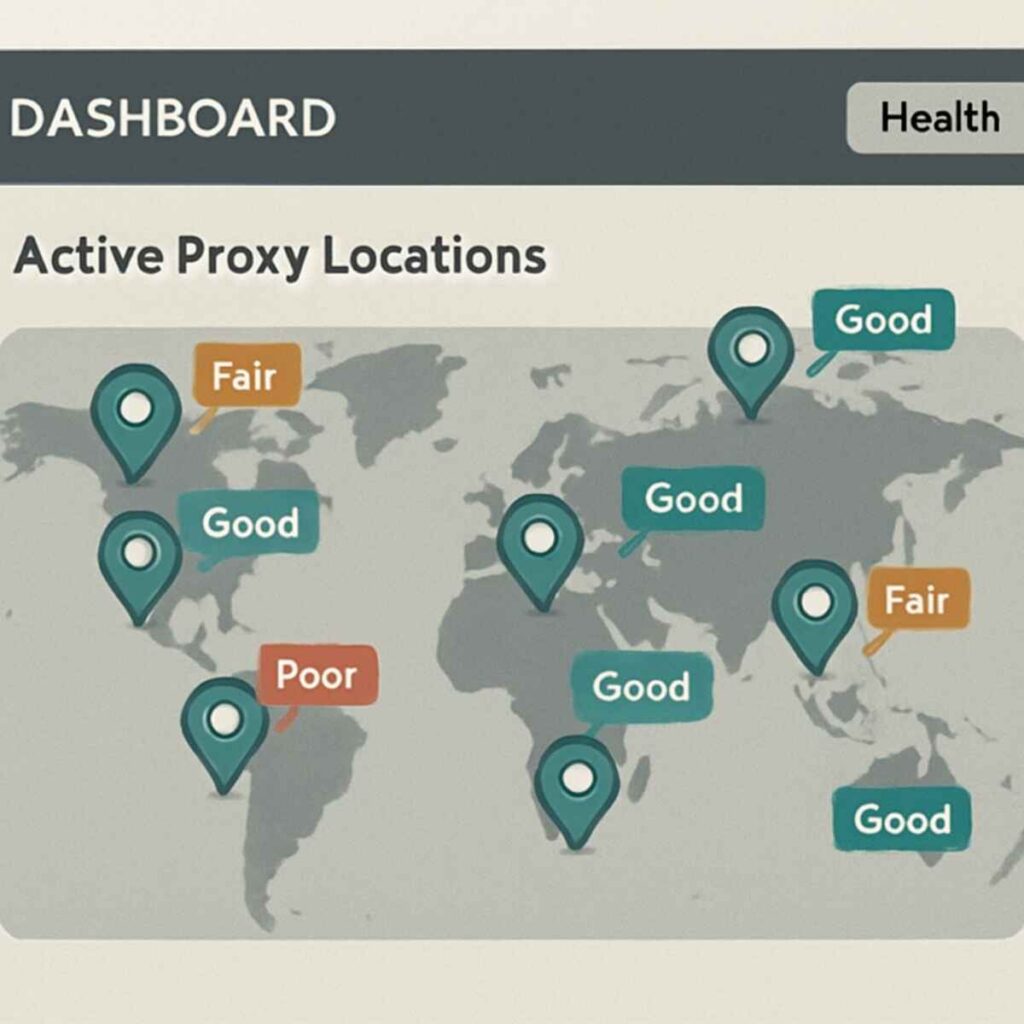
Owning hundreds of digital identities is useless without coordination. Enterprise-grade proxy management tools serve as “mission control” for large-scale operations. Instead of juggling spreadsheets, operators use dashboards to oversee their army of connections.
These interfaces display a world map where green lights represent healthy connections. Because premium mobile proxies are expensive, managers strictly track usage to ensure rogue programs don’t drain the budget. Advanced tools allow users to set strict limits on data consumption, treating bandwidth like a prepaid fuel tank.
The true capability is revealed when handling unlimited concurrent connections and bandwidth. A single computer can instruct the management tool to browse five hundred websites simultaneously, each using a unique mask via an API. This strategic placement of assets opens the door to a world where physical location is merely a setting in a dropdown menu.
Bypassing Geographical Restrictions for Remote Content
To pull off the illusion of being a local employee, a proxy professional must master digital teleportation. It is not enough to have the right answers; the computer must tell the company’s security systems it is located in the correct city. Bypassing geographical content restrictions allows a worker in Eastern Europe to access a payroll portal in California without raising red flags.
Most companies use “geo-fences” to protect data. A skilled proxy routes their connection through a server physically located inside the target zone, indistinguishable from a local resident. It acts like forwarding mail to a local P.O. Box; the sender sees a trusted address, even if the recipient collects the package elsewhere.
Hiding location comes with a “latency penalty”—the delay caused by sending data around the world. If a proxy server is slow, that lag becomes obvious during a video call. Experienced operators choose proxy services with premium servers close to the target headquarters, ensuring the connection is fast enough to keep the conversation natural.
Why Businesses Use Dedicated Proxy Servers for Security
Corporations have flipped the script, utilizing this technology to lock doors rather than pick them. Secure corporate systems use “allow-listing” to restrict entry to sensitive databases, ensuring only connections from pre-approved locations can access the network.
By utilizing static residential IPs for account management, a company grants a remote employee a permanent digital address functioning like a verified ID badge. This consistency allows the internal security system to recognize a worker as “safe” every morning. Beyond simple identification, why businesses use dedicated proxy servers is clear: they function as a secure tunnel preventing “Man-in-the-Middle” attacks. The proxy acts like an armored truck, ensuring that even if a hacker intercepts traffic on public Wi-Fi, they cannot steal the information.
The Financial Reality: Comparing Free vs. Paid Proxy Services
Reliance on “free” tools is a mistake that ends in disaster. While an app store search might offer a vpn professional – free unlimited vpn proxy, these services often act like double agents, monitoring traffic, selling data, or turning the user’s device into a public access point.
Success relies on the illusion of being seamless. A lagging video feed gives away the game. When comparing free vs paid proxy services, professionals pay for a digital express lane. This ensures voice and video match perfectly, without “buffering” delays that trigger suspicion.
The Investment Gap:
- Speed: Free services suffer from overcrowding; Paid residential proxies offer stability.
- Privacy: Free tools often sell data; Paid services enforce confidentiality.
- Success Rate: Free IPs are flagged instantly; Paid IPs appear as legitimate home users.
Legitimate operators view these fees as mandatory overhead. Yet, even with expensive digital camouflage, technology cannot cover every flaw, leading astute hiring managers to spot human errors.
Red Flags: How Hiring Managers Detect the ‘Disappearing Colleague’
Physics often betrays a proxy professional. When a candidate uses a stand-in, audio travels a different path than video, creating a “bad dubbed movie” effect. Seasoned interviewers recognize specific latency—crystal clear voice but persistent delay—as a primary warning sign.
Behavioral cues are just as telling. If a candidate’s eyes dart to the side or they appear to listen intently before speaking, they may be waiting for an accomplice. A genuine expert usually pauses to think by looking up or inward; a deceptive candidate looks outward to a secondary screen where answers are being typed.
The most undeniable evidence is the “Disappearing Colleague” phenomenon. A candidate who breezed through complex problems on Friday suddenly struggles with basic tasks on Monday. This is the result of the expert proxy stepping away. Smart companies are realizing intuition needs technical backup. While candidates focus on avoiding IP bans, hiring teams now analyze deeper metadata to reveal the deception.
The HR Counter-Attack: Unmasking Digital Imposters
Companies are deploying technology that acts like a digital lie detector. Modern hiring platforms scan invisible data layers, marking the entry of enterprise-grade proxy management tools designed to verify the person typing code is the person on camera.
Keystroke dynamics analyze typing patterns. Just as everyone has unique handwriting, everyone types with a distinct rhythm. Security systems compare a candidate’s typing during an interview against their work a week later. If the interview was typed by a fast expert and daily work by a hesitant novice, the software flags the biometric mismatch.
AI is also trained to spot deepfakes and virtual cameras. These systems look for digital fingerprinting markers like impossible lighting changes or inconsistent pixelation. This creates a new era of “Biometric HR,” where identity is verified by behavior, not just claims. This forces the proxy industry to work harder but raises questions about privacy for honest workers.
Legal and Ethical Consequences
There is a sharp legal distinction between authorized outsourcing and deceptive proxying. Outsourcing is a transparent agreement; proxying is a confidence trick relying on a breach of trust. Courts and HR departments increasingly view this as fraud. By using a stand-in, the “employee” may be committing theft of services, accepting salary for a specific individual while granting unauthorized access to company systems.
Beyond the courtroom, this distorts the job market. When companies see “perfect” candidates who nail every question thanks to a hidden expert, they raise hiring standards to unrealistic levels. Honest job seekers find themselves competing against impossible benchmarks.
Getting caught results in severe consequences. Industry-wide blacklisting is becoming a reality, where a candidate’s name is flagged in shared databases. Once marked as a fraudster, a professional reputation can evaporate overnight.
Building Genuine Trust in a World of Digital Stand-ins
Static Zoom screens and polished LinkedIn profiles now require scrutiny. What once seemed like a bad connection or nervousness may be a clue in a sophisticated game of digital charades. “Proxy professionals” are no longer a rumor but a formalized industry designed to bypass traditional gatekeepers.
To navigate this terrain, look for consistency over perfection. Authentic professionals have a messy, human history of interactions that is difficult to manufacture. Watch for inconsistencies between a profile’s claimed location and their work history nuances. Your strongest personal defense is to cultivate a presence that requires no disguise. When you explain how you solved a problem, you provide proof of competence that is nearly impossible for a remote stand-in to replicate in real-time.
Genuine capability remains immune to the proxy industry. A voice in an earpiece can provide a line of code, but it cannot fake emotional intelligence, real-time critical thinking, or complex conflict resolution. By doubling down on these interpersonal strengths, you insulate your career from being undercut by remote impostors. Employers will eventually stop looking for the person with the most acronyms and start looking for the person whose identity and capability are undeniably real.